Publish a Rust framework's docs with Thally Cloud
I documented fastrs, a FastAPI-style framework for Rust built on Axum, using Thally Cloud. Thally can read your repository and generate a full docs site as a pull request. That is fast, but it moves your job from writing to reviewing. This walkthrough shows the whole path, including where it failed for me and what I checked before publishing, so you can repeat it on your own project.
What you will end up with
- A live docs site on a
thally.appaddress. - A docs repository on your GitHub account that Thally keeps connected to the site.
- An introduction, a quickstart, an API reference and practical guides, all reviewed by you.
Prerequisites
- A GitHub account that can install a GitHub App. If the repo lives in an organization, an owner may need to approve it. I used my personal account.
- A Thally Cloud account at app.thally.io.
- A public repository to document, with a runnable example. Mine was
mahmudsudo/fast_rs. - The toolchain for your own project, so you can run what the docs tell readers to run. For me that was Rust 1.85 or newer, because the crate uses the 2024 edition.
- A desktop browser. More on that below.
1. Create the site
In Thally Cloud, create a new site and approve the Thally GitHub App when asked. Thally creates the docs repository and a thally.app address for you. Mine became mahmudsudo/fast-rs and fast-rs.thally.app.
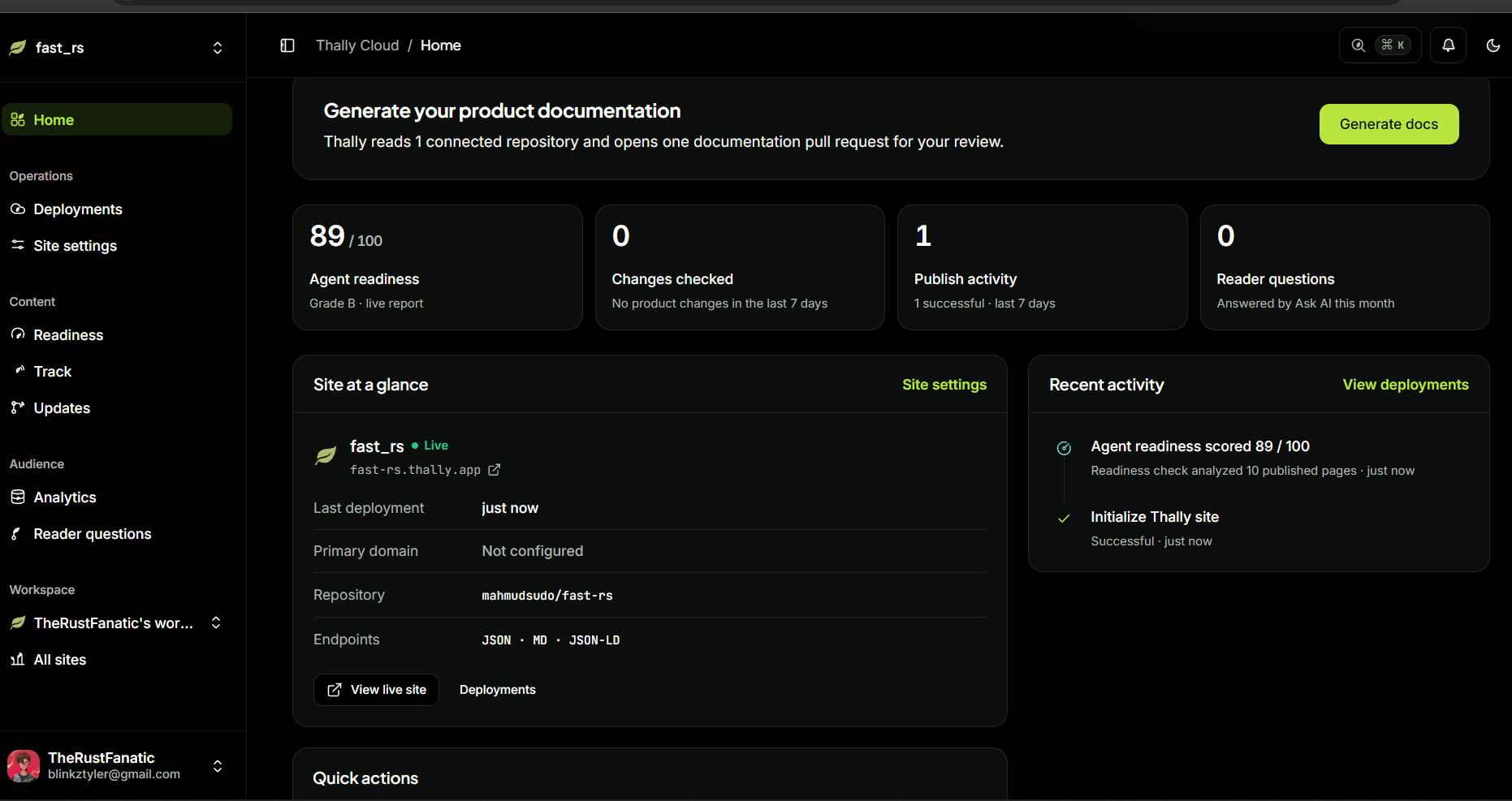
When it finishes, the site's Home page shows a Live badge, the site URL, the connected repository, and the machine-readable endpoints it serves (JSON, Markdown and JSON-LD). It also gives an agent-readiness score. Mine was 89 out of 100, grade B, after it analyzed 10 published pages.
2. Generate the content
The Home page offers a Generate docs button. Thally reads the connected repository and opens one documentation pull request for you to review.
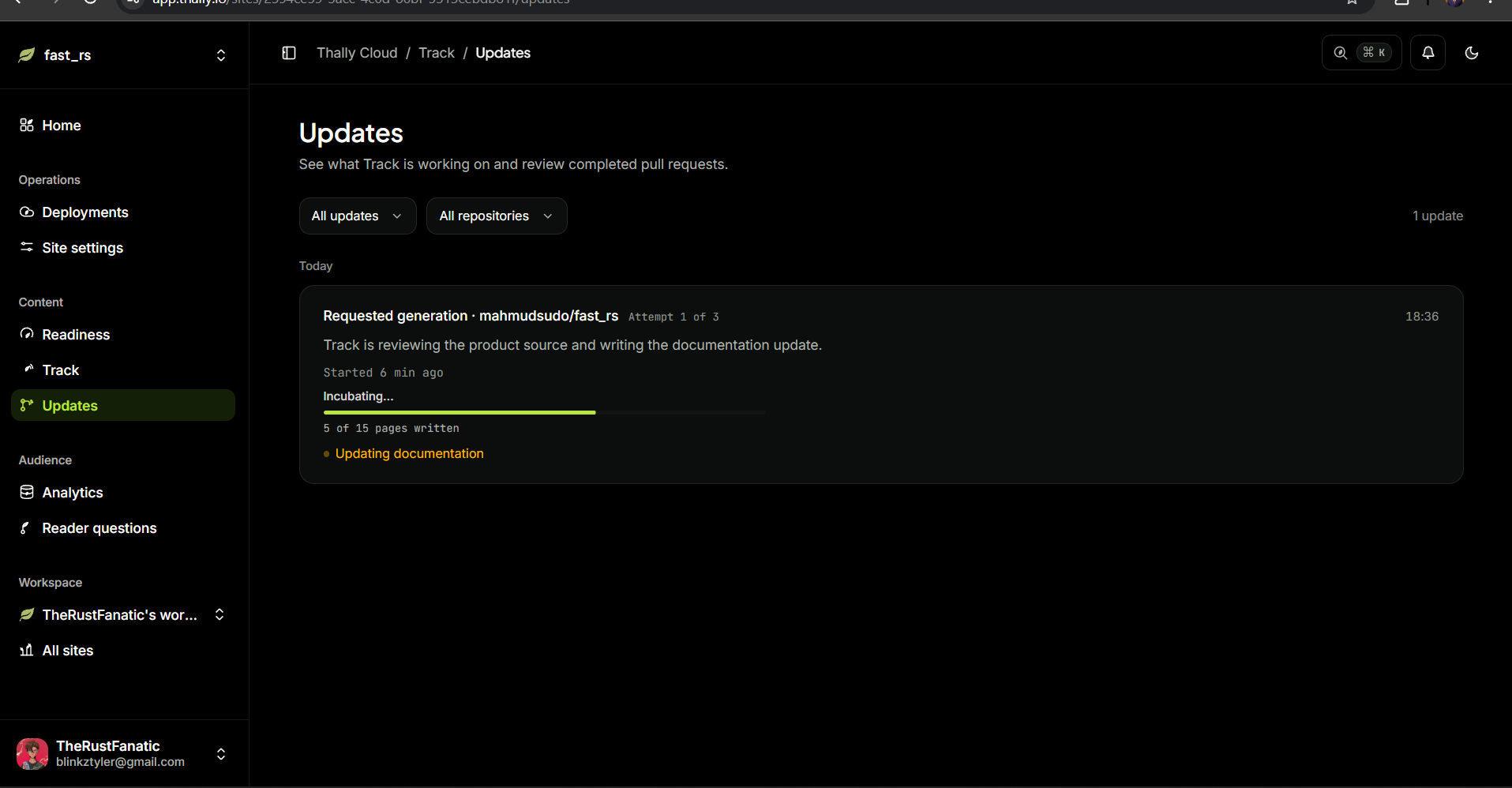
Open Updates to watch it work. The page shows a progress bar and a count of pages written. Mine read "5 of 15 pages written" after about six minutes and "15 of 15" after about sixteen. The card is labeled "Attempt 1 of 3", which tells you Thally retries a failed run.
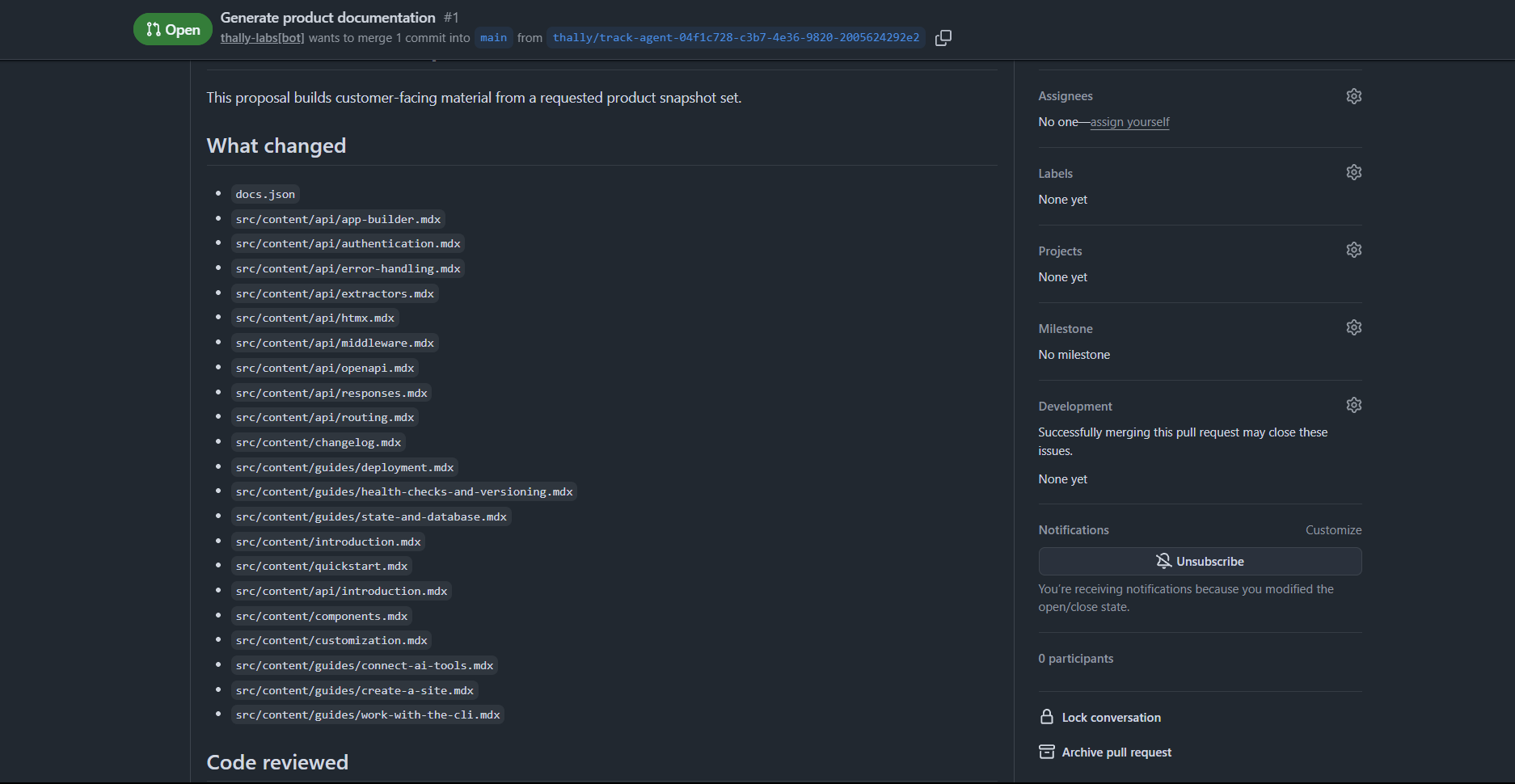
The result was pull request #1, "Generate product documentation", opened by thally-labs[bot] from a thally/track-agent-… branch into main. It changed docs.json and more than twenty content files: an introduction, a quickstart, an API reference (app builder, routing, extractors, authentication, error handling, responses, middleware, OpenAPI, HTMX) and guides on deployment, health checks and state with a database. I then proceeded to adding more guides to the generated ones for troubleshooting and more humanized wording .
3. Review before you merge
Do not merge on trust. A generated site reads confidently whether or not it is right, so check these:
Run the quickstart on a clean project. Copy the dependency block and the code exactly as written, build it, then run the
curlcommands and compare the output with what the page promises.Check the install line. A name that looks right can point somewhere else. For me,
cargo add fastrsinstalls an unrelated crate, because that name on crates.io belongs to someone else. The framework is installed with a git dependency:fastrs = { git = "https://github.com/mahmudsudo/fast_rs" }I built a fresh project this way and it compiled. The first build took about two minutes because the dependency tree includes
sqlx, so the quickstart should say so.Check version constraints. The framework uses
validator0.18. A newervalidatorcompiles your own struct but fails with a long "trait bound not satisfied" error that points at your handler, not at the version. Pin the version in the docs.Check response shapes. I sent invalid input and got
422with a list of per-field errors. The order of the entries changed between runs, so the docs should tell readers to match on the field name, not the position.Check claims. Look for statements the project cannot back up, such as "zero runtime overhead" with no benchmark. Soften them or link evidence.
Read
docs.json. It controls the sidebar. Make sure every page you want readers to find is listed under a sensible group.
4. Merge and publish
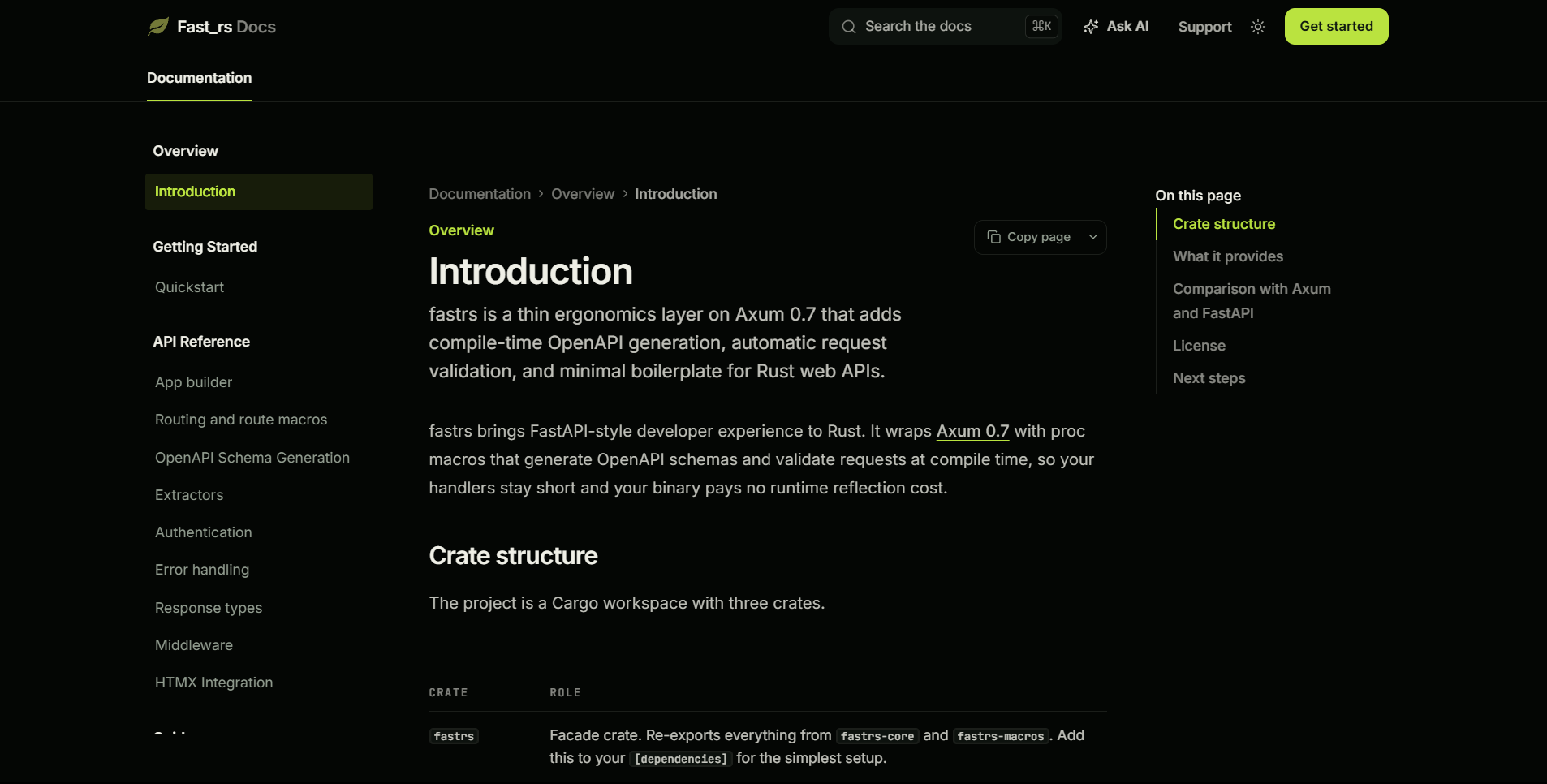
I reviewed the pull request on GitHub, merged it, and watched Deployments until the build finished. The Home page then showed one successful publish and the live site opened at the thally.app address. The sidebar had Overview, Getting Started, API Reference and Guides, plus search, "Ask AI" and a "Copy page" button on each page.
Obstacles and how I resolved them
| Obstacle | What happened | What I did |
|---|---|---|
| GitHub connection failed | On my phone, site creation ended on /sites/new?github=failed with no explanation, and the layout was hard to use on a small screen |
Retried in a desktop browser where I was already signed in to GitHub |
| Generation failed twice | The first two generation runs failed. The third succeeded and produced the pull request. | Waited for the retry, then checked the Updates page until all pages were written |
| Install line pointed at the wrong crate | The crate name on crates.io is a different project | Used the git dependency and confirmed it builds |
| Dependency version clash | A newer validator caused a trait-bound error far from its cause |
Pinned validator to 0.18 and said so in the quickstart |
| Unverified claims | Marketing-style claims carried over from the README | Reworded or removed the ones I could not support |
Checklist before you submit your own
- Every command in the quickstart ran on a clean machine or project.
- Every "expected output" was copied from a real run.
- The install line points at the right package.
- Version pins are written down.
- The sidebar in
docs.jsonlists every page you want readers to find. - You opened the live site on a phone-width screen.
About the author
I am a nerdy software engineer
Comments
Join the discussionNo comments yet. Be the first to comment.

